
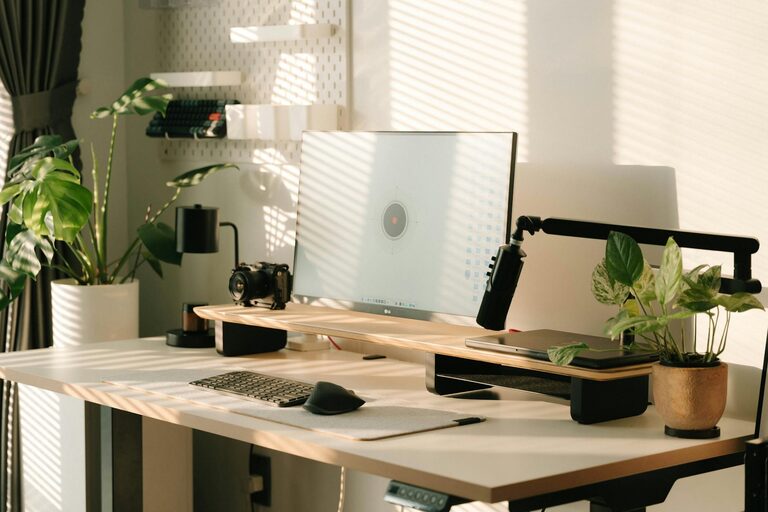
Creating a productive home office space is essential for anyone working remotely or running a business from home. A well-designed workspace not only enhances focus and efficiency but also promotes comfort and well-being throughout the day. Whether you have a dedicated room or just a small corner, these tips will help you set up an environment where you can thrive.
Choose the Right Location
The first step is selecting a spot for your home office that minimizes distractions and maximizes natural light.
– Quiet and Private: Pick a room or area away from noisy parts of your home to maintain concentration.
– Natural Lighting: Place your desk near a window when possible; sunlight improves mood and alertness.
– Space to Move: Ensure the space accommodates your furniture and allows room to stretch and move around.
Invest in Comfortable and Functional Furniture
Your furniture plays a huge role in how productive and comfortable you feel during work hours.
Desk
– Opt for a desk size that fits your work essentials without clutter.
– Consider adjustable desks that let you alternate between sitting and standing.
Chair
– Choose an ergonomic chair that supports your back and promotes good posture.
– Look for adjustable height and armrests for personalized comfort.
Organize and Declutter
A tidy workspace helps keep your mind clear and focused.
– Declutter Regularly: Remove items not related to your work.
– Storage Solutions: Use shelves, drawers, or boxes to keep documents and supplies organized.
– Cable Management: Use clips or sleeves to organize cords and reduce visual clutter.
Set Up Your Technology Wisely
Reliable and efficient technology is a must for productivity.
– High-Speed Internet: Ensure your internet connection is fast and stable.
– Good Monitor Setup: Use a monitor with appropriate size and resolution for your tasks.
– Accessories: Invest in quality keyboard, mouse, and webcam for comfort and virtual meetings.
Use Lighting to Your Advantage
Proper lighting reduces eye strain and helps maintain alertness.
– Combine natural light with adjustable artificial lights.
– Use task lighting like desk lamps for focused work.
– Avoid harsh, direct overhead lights that cause glare.
Incorporate Personal Touches
Adding a bit of personality can make your office more inviting.
– Display inspiring artwork or motivational quotes.
– Add plants to improve air quality and create a calming atmosphere.
– Choose colors and decor that make you feel energized and happy.
Establish Boundaries
Maintaining work-life balance is easier when your workspace feels separate.
– Define your work hours and stick to them.
– Avoid working in your bedroom or other leisure spaces if possible.
– Communicate boundaries with family or housemates to minimize interruptions.
Create a Routine and Use Productivity Tools
Consistency helps build focus and efficiency.
– Start your day with a set routine like a morning checklist or meditation.
– Use calendars and task management apps to organize your day.
– Take regular breaks to stretch and recharge.
Maintain Good Air Quality and Temperature
Comfort affects your ability to concentrate.
– Keep your workspace well-ventilated.
– Adjust temperature settings to a comfortable level.
– Consider using a fan, heater, or humidifier if needed.
Keep Healthy Habits in Mind
Your health impacts your productivity considerably.
– Stay hydrated throughout the day.
– Snack on nourishing foods to maintain energy.
– Incorporate short exercise or stretching sessions during breaks.
—
Creating a productive home office space involves a mix of thoughtful design, comfort, and clear boundaries. By investing time and attention into setting up your workspace, you’ll find it easier to stay focused and motivated – turning your home office into a place where you can excel every day.